


How to Improve IPTV Streaming Quality on Smart TVs in Sweden
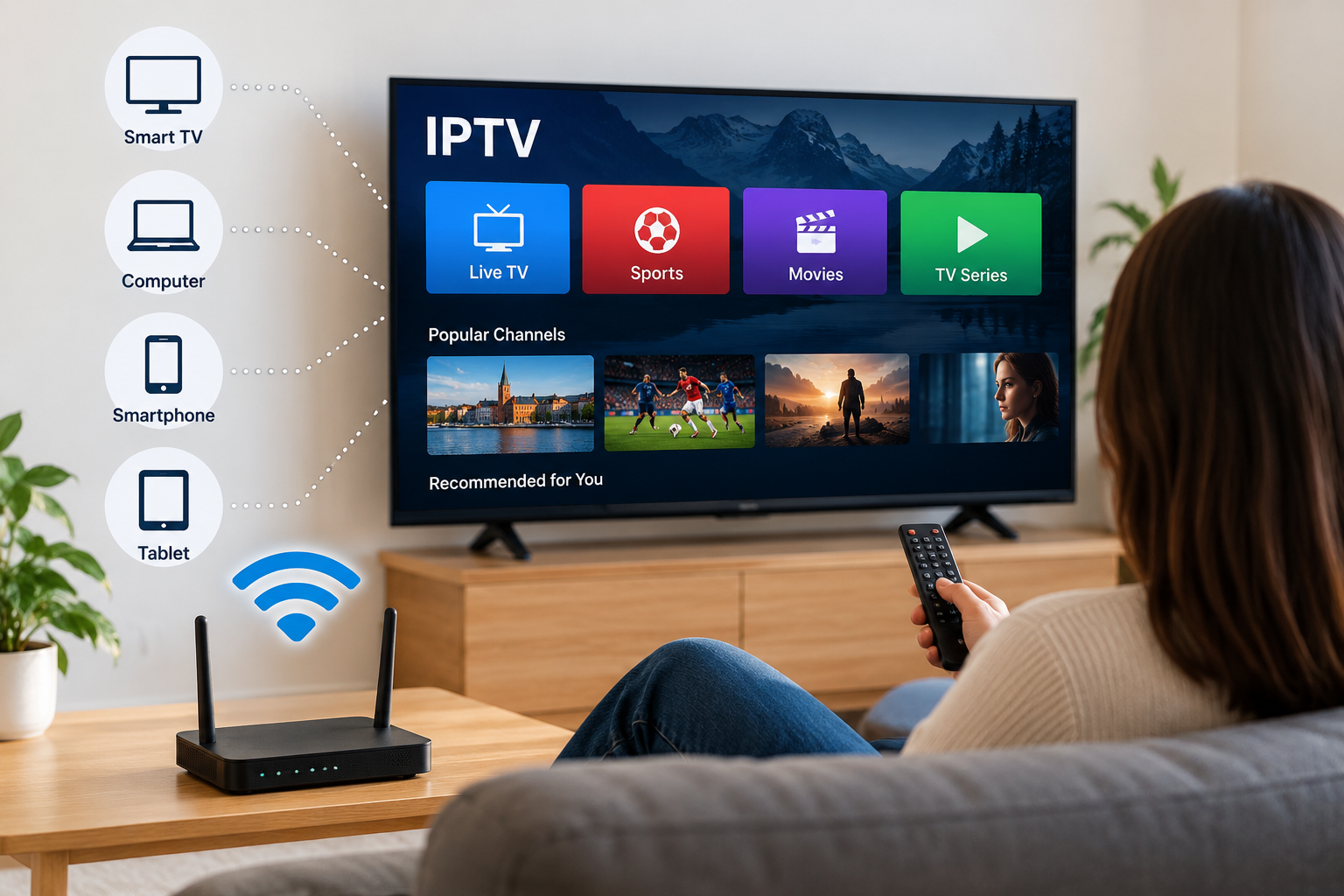
Smart TVs have made internet-based television easier to access without requiring a traditional cable connection or additional equipment in every setup. For viewers in Sweden, IPTV can provide a flexible way to watch live television, sports, films, and series using an internet connection.
However, streaming quality depends on more than the IPTV service itself. Wi-Fi strength, internet stability, television performance, application settings, and network congestion can all influence playback.
Understanding these factors can help viewers build a more reliable IPTV setup at home.
Start With a Stable Internet Connection
A strong and consistent internet connection is one of the most important requirements for IPTV streaming.
High download speeds can be useful, but speed alone does not guarantee smooth playback. A connection that frequently drops or changes in performance may still cause buffering.
Before changing IPTV applications or television settings, users should first check whether their internet connection is working normally.
Test Your Connection
Run an internet speed test on a device connected to the same network as the television.
Testing near the Smart TV provides a better indication of the connection available in the actual viewing area.
If speeds are significantly lower near the television than near the router, Wi-Fi coverage may be the main issue.
Use Ethernet When Possible
Connecting a Smart TV directly to the router using an Ethernet cable can provide a more stable connection than Wi-Fi.
Wireless networks can be affected by:
-
Thick walls
-
Distance from the router
-
Nearby wireless networks
-
Household electronics
-
Multiple connected devices
Ethernet removes many of these variables and can be particularly useful when streaming higher-quality video.
For televisions located close to the router, a wired connection is often worth considering.
Improve Your Wi-Fi Setup
Ethernet is not practical in every home, so many IPTV viewers rely on Wi-Fi.
Router placement can make a noticeable difference.
Place the router in an open and reasonably central location rather than hiding it inside a cabinet or behind large furniture. Keeping it away from unnecessary obstacles may improve wireless coverage.
Modern routers may also support different Wi-Fi frequency bands. Depending on the distance and home layout, switching between available bands can sometimes improve performance.
Check Your Smart TV Performance
Older Smart TVs can sometimes struggle with modern streaming applications, especially when storage or available memory is limited.
If an IPTV app becomes slow or frequently freezes, try restarting the television completely.
Users can also check for television software updates and remove applications they no longer use.
Keeping unnecessary apps running in the background may consume resources that could otherwise be available for streaming.
Choose a Compatible IPTV Player
The IPTV service provides access to content, while an IPTV player is usually responsible for organizing and displaying that content on the device.
Different Smart TV operating systems support different applications.
When comparing options for the Swedish market, viewers can review services such as Rapid IPTV Sweden when researching IPTV subscriptions, supported devices, streaming information, and available viewing options.
Before installing a player, check that it supports your television model and the connection format provided by your IPTV service.
Keep IPTV Applications Updated
Application developers regularly release updates to improve compatibility, stability, security, and performance.
Using an outdated IPTV player can sometimes create problems after a television operating system receives an update.
Check your Smart TV's application store periodically and install available updates for the IPTV player you use.
If an app suddenly behaves differently after an update, restarting both the application and television can sometimes solve temporary issues.
Reduce Network Congestion
Your IPTV stream shares the home internet connection with other connected devices.
Streaming performance may decline when several people are simultaneously:
-
Watching high-resolution video
-
Downloading large files
-
Playing online games
-
Backing up files to cloud storage
-
Using video conferencing applications
If buffering appears mainly during busy periods, network congestion may be contributing to the problem.
Testing IPTV while other high-bandwidth activities are paused can help identify whether this is the cause.
Restart Your Router Occasionally
Routers operate continuously and can sometimes develop temporary connection problems.
Restarting the router may refresh the connection and resolve minor network issues.
If streaming problems repeatedly return, however, users should investigate the underlying cause instead of depending on frequent router restarts.
The problem could involve weak Wi-Fi coverage, old networking equipment, the internet connection, the Smart TV, or the streaming application.
Avoid Installing Unknown Applications
Smart TV users should be selective about the applications they install.
Whenever possible, obtain IPTV players from official application stores or trusted developer sources. Unknown applications downloaded from unofficial websites may create security or privacy risks.
Users should also review application permissions and avoid sharing account credentials unnecessarily.
Understand Why Buffering Happens
Buffering does not always mean that an IPTV provider is experiencing a problem.
Possible causes include:
-
Unstable internet
-
Weak Wi-Fi
-
Router problems
-
Device limitations
-
App performance
-
Network congestion
-
Temporary server or source issues
Testing several channels or streams can provide useful clues.
If only one stream is affected while others work normally, the problem may be specific to that source. If everything is buffering, the local connection or device deserves closer inspection.
Consider an External Streaming Device
A Smart TV does not need to handle every part of the IPTV experience itself.
If an older television has limited app support or performs poorly, an external streaming device may provide another option.
Compatible Android TV devices and other streaming boxes can offer newer hardware, additional IPTV applications, and improved navigation.
Before purchasing additional hardware, users should confirm that it supports the applications and streaming formats they intend to use.
Create a Simple Troubleshooting Routine
When IPTV stops working properly, changing multiple settings at once can make troubleshooting more difficult.
A better approach is to test one element at a time.
Step 1: Check Other Internet Services
Open another streaming application or website.
If everything is slow, the internet connection may be responsible.
Step 2: Restart the IPTV App
Close the application completely and reopen it.
Step 3: Restart the Television
A full restart can clear temporary memory or application problems.
Step 4: Test Another Channel
This helps determine whether the problem affects one stream or the entire service.
Step 5: Check Wi-Fi or Ethernet
Make sure the television still has a stable network connection.
Following the same basic process each time can make IPTV problems easier to identify.
Final Thoughts
Good IPTV performance on a Smart TV depends on the entire streaming setup rather than one individual component.
A reliable internet connection, strong Wi-Fi or Ethernet, compatible software, updated applications, and suitable television hardware all contribute to consistent playback.
Swedish viewers considering IPTV should therefore evaluate both the service and their home network before subscribing. A well-configured setup can make it easier to enjoy live television, sports, films, and series across compatible devices without unnecessary streaming interruptions.